

Classrooms can have meaningful learning yet ask students to manage too many small demands at once. While listening to directions, students may be calculating how much time is left, remembering the next step, and wondering whether they are falling behind.
Reducing cognitive load in the classroom involves removing avoidable barriers so more attention can go toward learning goals. One small, effective way to do that is to make time visible.
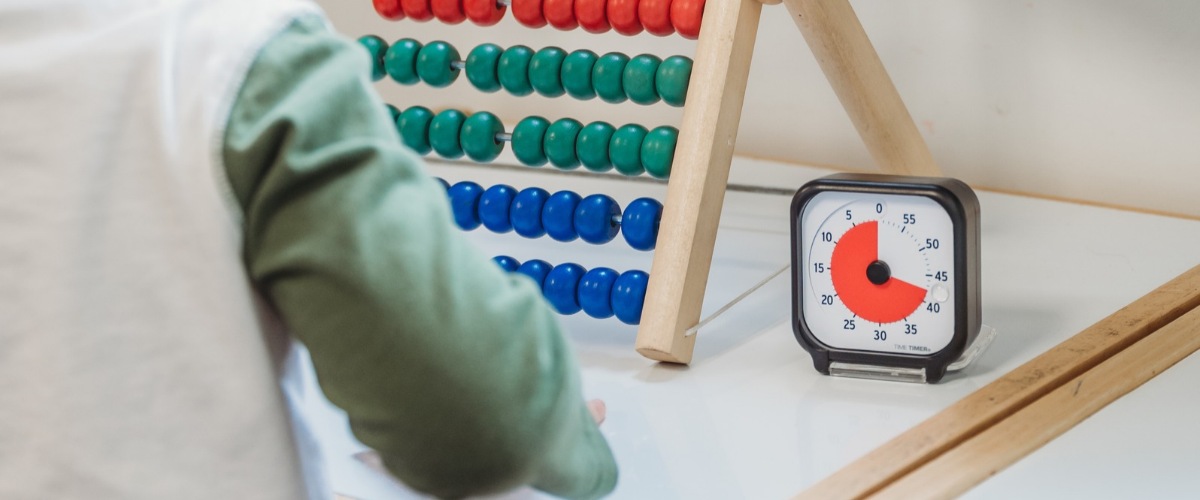
A visual timer turns abstract countdowns into clear visual cues. Instead of repeatedly asking “How much time is left?” or doing mental-math countdowns, students can glance at a disappearing disk and return to the task.
Used consistently, visual supports for learning can make classroom time, instructions, and transitions easier to understand.
Why time visibility matters for working memory
Cognitive Load Theory for teachers posits that working memory capacity in students is limited. Students learning new material, writing essays, or solving multi-step problems, are using that capacity.
Other effort may be unnecessary cognitive load: navigating unclear instructions, unpredictable transitions, or invisible time limits.
Visible countdowns cannot make complex tasks simple but can remove the separate job of tracking time mentally.
Visual timing is a practical cognitive-load management strategy consistent with Universal Design for Learning (UDL) tools supporting learners’ ability to plan, organize resources, and monitor progress.
The goal is not to manage learners identically. It offers clear low-distraction cues that students can use independently.
Remove time uncertainty during independent work with the Time Timer® Original 8” or 12”
Place Time Timer® Original 8” or Original 12” visual timers where the whole class can see it.
The 8” model is good for small groups and medium spaces.
The 12” model is better for larger classrooms.
Both have 60-minute countdowns with a colored disk and operates without loud ticking, with an optional end alert.
Before independent work, name the task and set the time: “You have 10 minutes to peer-review an essay.” Then let the visual do the reminding. Assessment settings must follow applicable testing, IEP, and accommodation requirements.
Chunk multi-step work with the Time Timer® MOD + Dry Erase Board
Teachers can chunk instructions for students by pairing the Time Timer® MOD and Dry Erase Board with written or sketched plans with time intervals for each.
Write the current steps on the board beside the visual timer: this is what we are doing now, and this is how much time we have left.
This approach makes task and time allotment visible in the classroom rather than just exist in a student’s memory. Check current MOD case compatibility when purchasing the board accessory.
Build a predictable rhythm with the Time Timer® MAX
The Time Timer® MAX 17-inch visual timer is great for large spaces. Interchangeable timer faces, flexible durations, and colored set markers make for a strong large classroom timer.
Teachers will especially appreciate being able to show time blocks across an entire class period.
Offer individual access with a pocket-sized timer or Time Timer® PLUS
For time management for neurodivergent students, choice and discretion matter. Students may prefer to self-pace a reading interval, writing sprint, or break without needing to reference the front of the room where a large timer is.
The pocket-sized Time Timer® Original 3” is an individual desk-level option. It fits easily in backpacks and can sit within sight during independent work on a student’s desk.
The Time Timer® PLUS 60 Minute adds a carrying handle, pause button, and adjustable alert volume for students or staff who move between learning spaces.
Visual aids for executive function are not one-size-fits-all interventions or substitutes for individualized supports. These are flexible tools students can use to monitor progress, initiate tasks, and recognize when work intervals are ending.
Schools considering Time Timer visual timers for special education should involve the student and support team in deciding whether a personal, small-group, or whole-class display is the best fit.
Start small: one routine, one visible cue
Choose recurring moments: arrival work, station rotations, independent reading, cleanup, or the final minutes of class.
Pair the visual timer with clear directions, consistent transition routines, and enough time for students to respond. The timer supports, rather than replaces, explicit instruction and relationships.
Frequently asked questions
How can a visual timer reduce cognitive load?
A visual timer can reduce the need to mentally calculate remaining time or repeatedly seek reassurance.
Which Time Timer is best for a full classroom?
For visible whole-class timing, choose the Original 8” or 12” based on room size. For large or flexible spaces, the 17” Time Timer MAX offers greater visibility and customizable time-blocking options.
Can a timer help with multi-step directions?
Pairing visible countdown timers with one or two written steps helps students see what to do now and how long they have to do it. When time, tasks, and transitions are easier to see, students spend less energy managing uncertainty and more energy learning.